3 posts tagged with "Process Automation"

Automate repetitive tasks and streamline workflows with workflow automation platforms such as Power Automate, Logic Apps or Camunda.

View All Tags

Dynamic Business Process Orchestration using AI Agents

How to build the modular foundation for AI-driven, dynamic business automation.

· 11 min read View Comments

Martin Jurran
Software Engineer - OSS, Azure AI Foundry, Enterprise Architecture

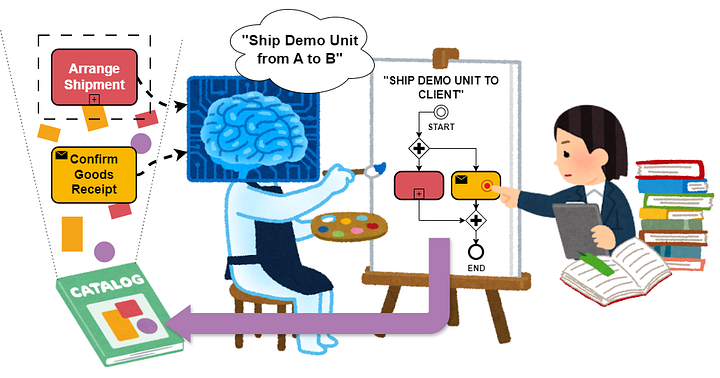
AI Agent and Business Expert working together to curate new Processes based on actual business inquiries. (Photo by the author)

AI Agent and Business Expert working together to curate new Processes based on actual business inquiries. (Photo by the author)

For most large organisations, processes can't just exist. "We've always done it this way" is dangerous. Without a clear understanding and documentation of how work is actually done, implementing AI solutions becomes significantly more difficult, as you first need to discover and document the processes before you can automate or orchestrate them.

How to Choose an Agentic AI Orchestrator

Choosing the right platform for enterprise-ready Agentic AI Workflows

· 17 min read View Comments
Martin Jurran
Software Engineer - OSS, Azure AI Foundry, Enterprise Architecture

Beyond traditional automation: AI Workflows empower teams to move away from administrative heavy-lifting and into a high-level oversight role. Lay back and let the AI do the job.

Beyond traditional automation: AI Workflows empower teams to move away from administrative heavy-lifting and into a high-level oversight role. Lay back and let the AI do the job.

Probably no one has been able to escape the hype around Agentic AI over recent months. I think we have all seen incredible demos: AI Agents acting as subject matter experts, or autonomously writing reliable code to draw insights from data and make business decisions. In the past, those tasks were incredibly time-consuming for humans, involving multiple steps and navigating complex data ambiguity. Now, that ambiguity and complexity can be automated.

Fill Word Templates without Premium Connectors in Power Automate

Comprehensive guide on how to fill Microsoft Word templates using Power Automate w/o any Premium Connectors

· 12 min read View Comments
Martin Jurran
Software Engineer - OSS, Azure AI Foundry, Enterprise Architecture

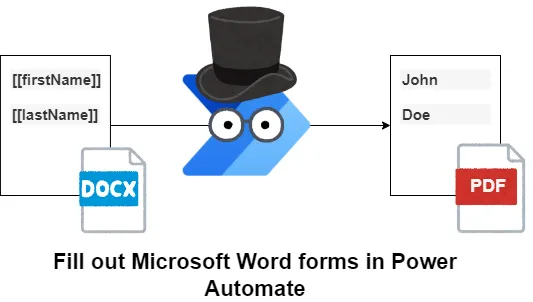
Filling out Microsoft Word forms in Power Automate (Photo by the author, Illustrations by Takashi Mifune under free use)

Filling out Microsoft Word forms in Power Automate (Photo by the author, Illustrations by Takashi Mifune under free use)

Enterprise users, especially those involved with the digitalization of existing processes, might be faced with the requirement to fill out certain standardized forms with Power Automate and make these available to the respective stakeholders.

Microsoft offers a Populate a Microsoft Word Template action right out of the box in Power Automate, but for many organizations, using Premium Connectors is not feasible due to company policies.

There is a simple solution: We can create a workaround for filling out forms and offering them as a *.pdf with a SharePoint Document Library and a Power Automate Flow.